Troubleshooting the DSC6101 MEMS Oscillator: Fix Blank Programming Issues
The DSC6101ME1A-000.0000T is a blank, factory-programmable MEMS oscillator from Microchip's DSC6101 family, capable of being configured anywhere from 1 MHz to 100 MHz. Because it ships unprogrammed, many "failures" reported by customers trace back to programming, not silicon. This guide reflects issues I've seen repeatedly in the field.
Typical failure modes and root causes. The most common symptom is no output at all, usually because the part was never programmed or the programming file targeted the wrong output format (LVCMOS vs. differential). The second most common is frequency offset or jitter, often from improper decoupling, a noisy supply, or driving a load capacitance outside the datasheet spec. Intermittent startup frequently stems from a slow-ramping VDD or a missing pull-up on the enable pin. Occasionally, a dead output is a genuine ESD or assembly-damage issue, but in my experience that's the minority.
Step-by-step debugging methodology. Start by confirming VDD at the pin with a scope, not a DMM—look for the ramp shape. Verify the enable/standby pin is at the correct logic level. Check that output pins are actually toggling using a scope with adequate bandwidth (at least 5x your expected frequency). Confirm the load termination matches the configured output type. If there's a programming interface (e.g., the Microchip programmer), re-read the configuration and compare against the intended spec. Only after these checks should you swap the part.
Schematic and layout mistakes. The classic error is omitting the 0.1 µF decoupling capacitor or placing it far from VDD. Place it within a few millimeters, with a short return path to ground. Another frequent issue: driving a long trace without proper termination, causing reflections and apparent jitter. Keep output traces short and matched if using differential outputs. Also verify the enable pin isn't floating—add a defined pull-up or pull-down. Finally, avoid routing clock traces near switching regulators or high-current paths; MEMS oscillators are robust but not immune to coupled noise.
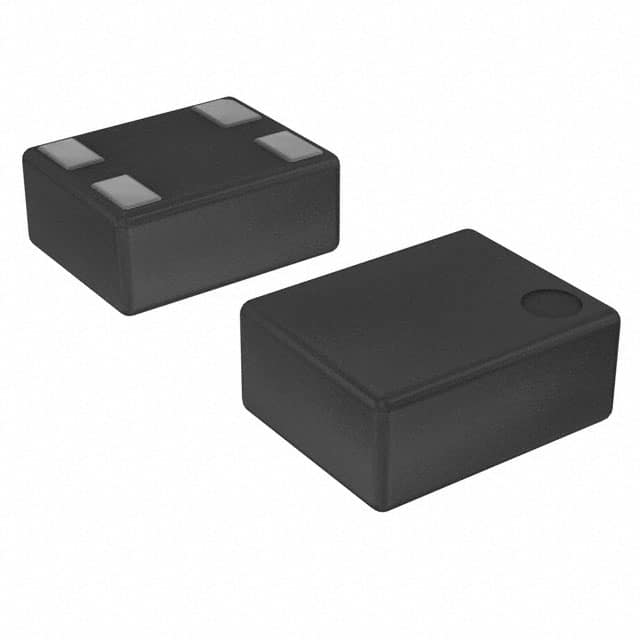
Verifying authenticity and quality. Buy only from authorized distributors. Counterfeit or re-marked parts are a real risk for programmable oscillators. Check the laser marking against Microchip's datasheet font and logo, verify the lot/date code, and confirm the package dimensions. If you have a programmer, attempt to read the configuration—blank parts should report as unprogrammed. A genuine part will program cleanly and hold its configuration across power cycles.
Measurement techniques and equipment. Use an oscilloscope with bandwidth well above your signal (e.g., 500 MHz+ for a 100 MHz output) and a low-capacitance probe (≤2 pF) to avoid loading the output. For jitter, use a phase noise analyzer or a scope with jitter analysis; a basic DMM won't cut it. For frequency accuracy, a frequency counter with a stable timebase is preferable. Always measure at the load point, not at the probe tip dangling in air.
When to suspect the component vs. the circuit. Suspect the circuit first if the failure is intermittent, temperature-dependent, or appears only under load. Suspect the component if a known-good replacement behaves identically in the same socket, or if the part fails basic continuity and supply checks in isolation. A blank, unprogrammed part will always look "dead"—confirm programming status before condemning it.
Case study 1: A customer reported 100% no-output on a new build. Root cause: the programming file was never loaded; the parts shipped blank. Re-programming resolved it. Case study 2: Intermittent startup on a battery-powered device. The VDD ramp was too slow for the oscillator's startup spec; adding a small load and adjusting the soft-start fixed it. Case study 3: Excessive jitter traced to a decoupling cap placed 15 mm from the pin and a clock trace running parallel to a buck converter. Relayout eliminated the issue.
In short: verify programming, verify power and grounding, verify layout, then verify the part. That order saves time and prevents unnecessary RMAs.